News
Pokemon Go Spoofer for iOS: Change GPS Location on iPhone Easily
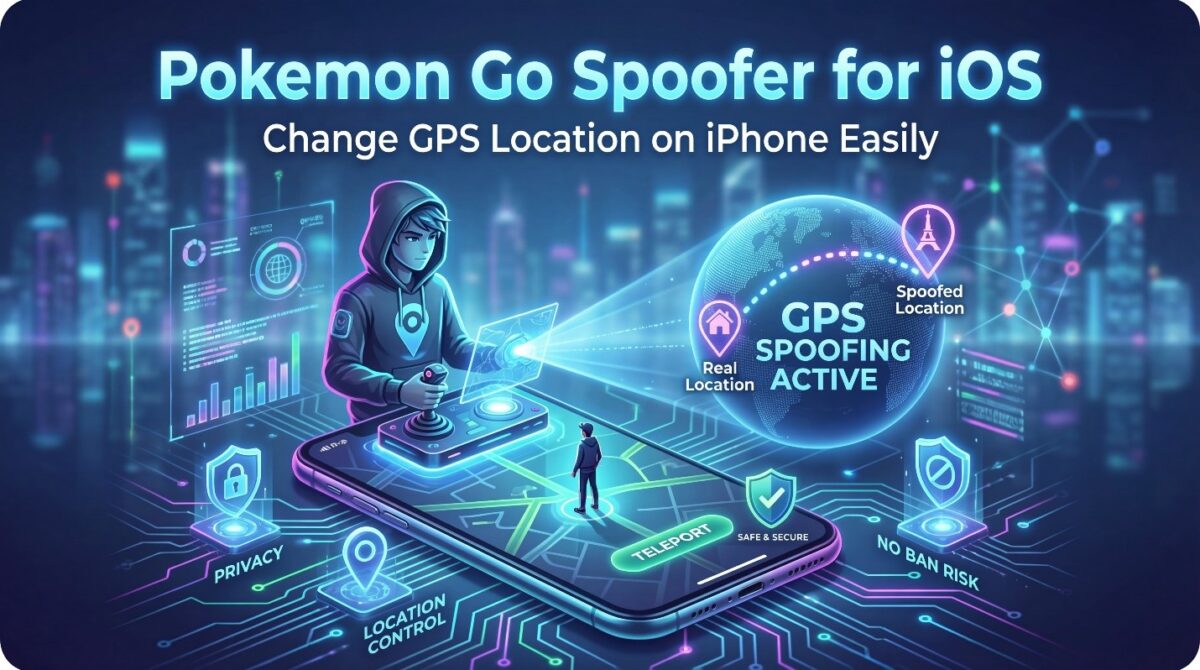
Pokemon Go is built around real-world exploration and GPS location accuracy. Players must physically move to catch Pokémon, join raids, or access regional events. However, not every player can travel freely or reach specific locations. This is why the demand for a Pokemon Go spoofer for iOS continues to grow.
Many iPhone users search for safe ways to change their GPS location. They want flexibility without risking account bans or device security. A reliable location spoofer allows players to explore the game world virtually. It also helps users participate in global events without leaving home.
Apple’s iOS system is known for strict security controls. Changing GPS location on iPhone is not supported natively. VPNs only mask IP addresses and do not affect real GPS data. This limitation forces users to look for specialized tools designed for GPS spoofing.
A proper Pokemon Go spoofer iOS solution modifies GPS coordinates directly. It makes the game believe the device is physically present elsewhere. When done correctly, this process feels natural to the game and avoids detection.
Beyond gaming, GPS spoofing also supports privacy protection and location testing. Users gain more control over how apps read their location data. This makes GPS spoofing useful beyond Pokémon Go alone.
In this guide, you will learn how GPS spoofing works on iPhone. You will understand why unsafe methods fail and how secure spoofing tools succeed. The article also explains best practices for spoofing responsibly.
How Pokémon Go Detects Your iPhone GPS Location
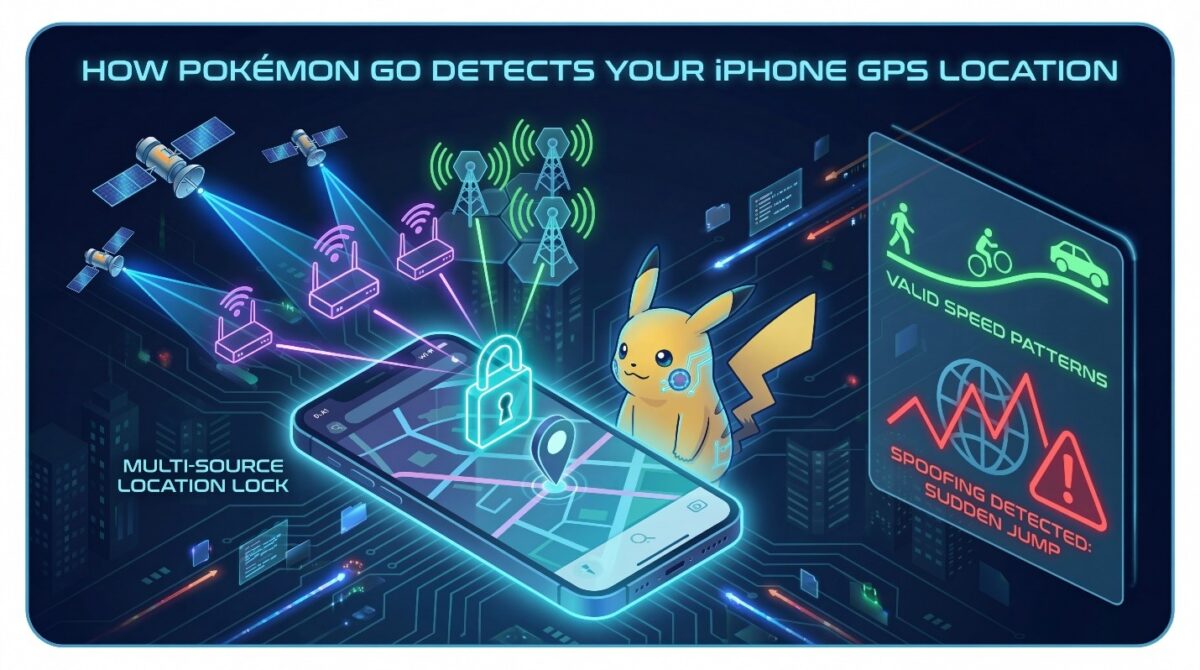
Pokémon Go relies heavily on accurate GPS data to create fair gameplay. The game constantly reads your iPhone’s location to determine movement, speed, and interaction zones. Understanding this process is essential before using any Pokemon Go spoofer for iOS.
Unlike simple apps, Pokémon Go does not depend on one signal source. It combines GPS satellites, Wi-Fi positioning, and mobile network data. These sources work together to create a precise movement profile. Even small inconsistencies can trigger detection systems.
The game also tracks speed patterns. Walking, cycling, and driving all have different speed limits inside the game. Sudden jumps across cities or countries raise red flags. This is why careless GPS spoofing often leads to warnings or bans.
GPS Signals and Real-Time Movement Tracking
GPS satellites provide raw location coordinates. Pokémon Go checks these coordinates repeatedly during gameplay. If your iPhone moves faster than human limits, the system records the anomaly. Repeated anomalies increase account risk.
Wi-Fi and Network Cross-Verification
Pokémon Go cross-checks GPS data with Wi-Fi networks and cellular towers. If your GPS says Tokyo but your network shows Europe, the mismatch becomes suspicious. Reliable spoofing tools align these signals properly.
Why Simple Tricks Fail on iOS
Many users try VPNs or airplane mode tricks. These methods only change IP addresses. They do not modify GPS coordinates. Pokémon Go still sees your real location, making these methods ineffective.
A proper pokemon go spoofer ios tool modifies GPS data at the system level. This creates consistent, believable movement patterns. Without this, detection is almost guaranteed.
Why Most Pokémon Go Spoofing Methods Fail on iOS
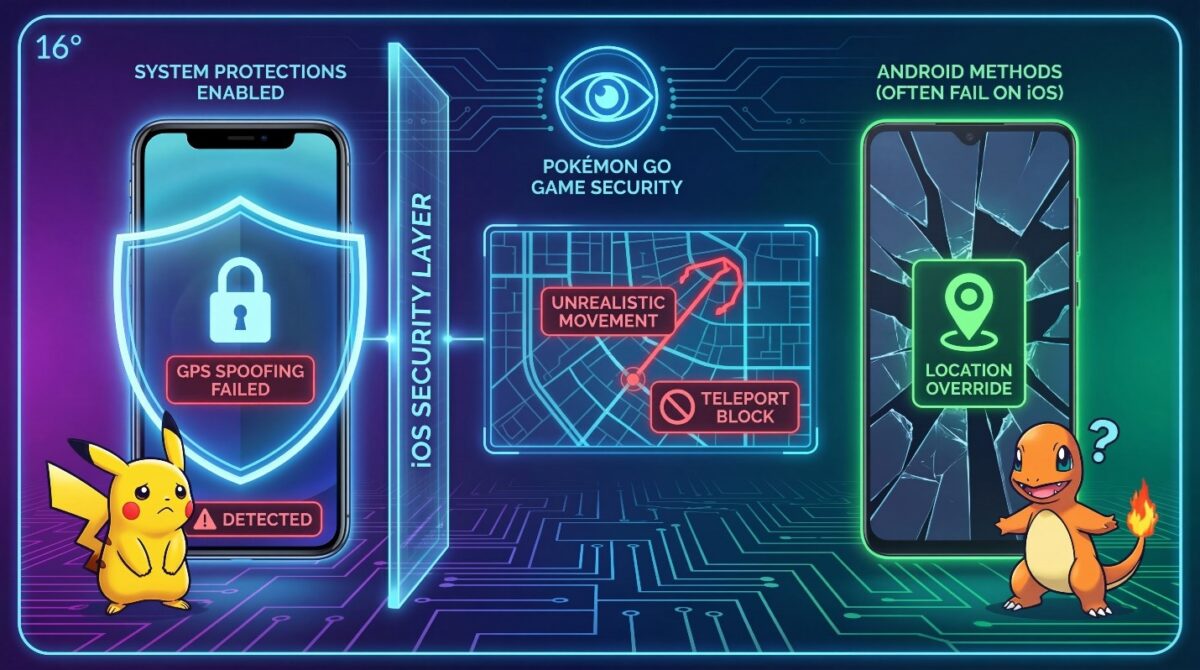
Many iPhone users try Pokémon Go spoofers but fail within days. The reason is simple. iOS has strict system protections that block most location-changing tricks. Methods that work on Android usually fail on iPhone.
Apple does not allow apps to override GPS data easily. Pokémon Go takes advantage of this security layer. It monitors GPS consistency, movement behavior, and signal validation continuously. Weak spoofing methods break under this scrutiny.
Another issue is user behavior. Many players teleport too often or move unrealistically. These mistakes make spoofing obvious. Even a good tool fails if used incorrectly. Understanding why methods fail helps users avoid costly errors.
VPNs and Fake Location Settings Do Not Work
VPNs only change IP addresses. They do not modify GPS coordinates. Pokémon Go ignores IP location and reads GPS data directly. This is why VPN-based spoofing fails instantly.
iOS also lacks built-in fake location settings. Developer options do not allow GPS overrides like Android. Any method claiming otherwise is misleading.
Jailbreak-Based Spoofing Is High Risk
Some spoofers require jailbreaking the iPhone. Jailbreaking removes system protections and exposes the device. Pokémon Go can detect jailbroken environments easily.
Accounts using jailbroken spoofers face higher ban rates. Updates often break jailbreak compatibility. This makes the method unstable and risky.
Free Spoofers Trigger Detection Systems
Free spoofing apps often use outdated GPS injection methods. They cause sudden location jumps or speed spikes. Pokémon Go records these anomalies.
Many free tools also lack movement simulation. Teleporting without cooldowns increases detection risk. Paid, professional tools avoid these patterns.
A reliable Pokemon Go spoofer for iOS avoids all these failures. It modifies GPS data safely, simulates realistic movement, and respects cooldown rules.
How a Safe Pokémon Go Spoofer Works on iPhone
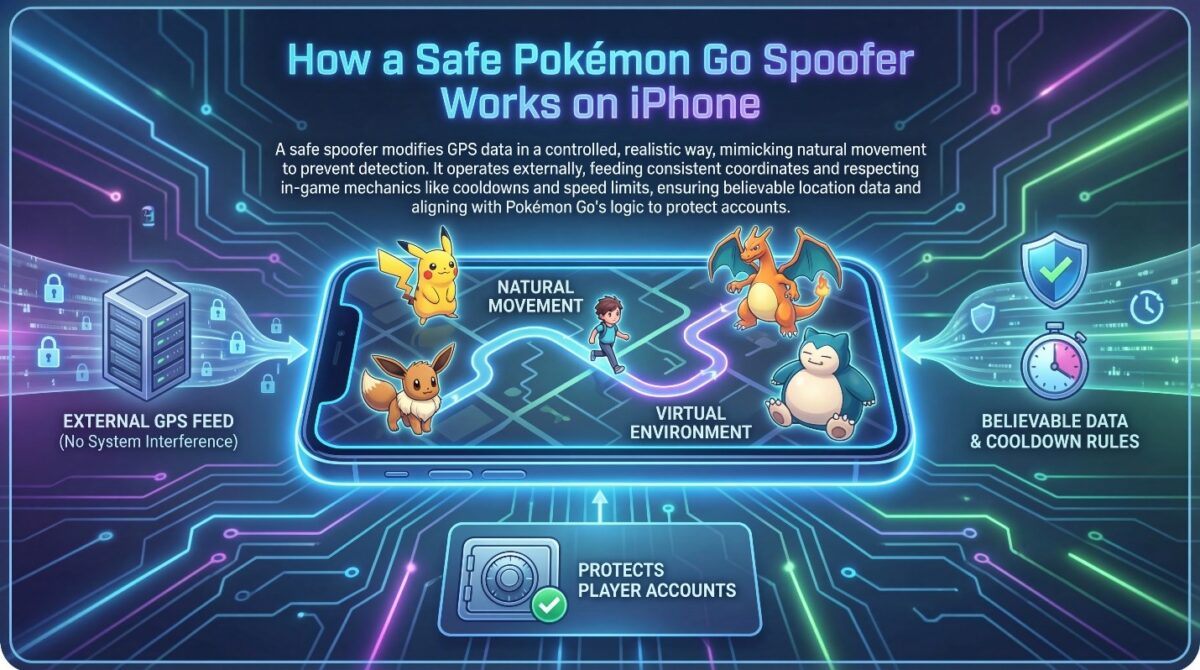
A safe Pokémon Go spoofer for iOS works by modifying GPS data in a controlled and realistic way. Instead of forcing fake signals abruptly, it creates a virtual environment that mimics natural movement. This approach helps prevent detection and protects player accounts.
Unlike risky methods, a professional Pokémon Go spoofer does not interfere with iOS system files. It operates externally and feeds consistent GPS coordinates to Pokémon Go. This ensures the game receives believable location data at all times.
Safe spoofers also respect in-game mechanics. They follow cooldown rules, movement speed limits, and distance calculations. This alignment with Pokémon Go’s logic is what separates safe tools from banned ones.
GPS Injection Without Breaking iOS Security
A trusted spoofer injects GPS coordinates without jailbreaking the device. It connects to the iPhone and temporarily overrides location data. Once disconnected, the phone returns to its real location.
This method keeps iOS security intact. No system permissions are altered. Apple services continue to function normally, reducing long-term risk.
Simulated Walking and Cooldown Control
Safe spoofers simulate walking instead of instant teleporting. This creates natural speed patterns inside Pokémon Go. Players can hatch eggs, spin PokéStops, and catch Pokémon without suspicion.
Cooldown timers are also essential. Spoofers calculate how long users should wait after moving long distances. Respecting cooldowns prevents soft bans and gameplay restrictions.
Consistent Signal Alignment
Advanced Pokémon Go spoofer align GPS data with Wi-Fi and network signals. This consistency avoids mismatches that Pokémon Go can detect. The result is smoother gameplay and higher account safety.
A reliable pokemon go spoofer ios tool focuses on realism, not shortcuts. That realism is the key to long-term success.
Key Features to Look for in a Pokémon Go Spoofer for iOS
Not all spoofing tools are created equal. Choosing the wrong Pokémon Go spoofer for iOS can lead to bans, unstable gameplay, or device risks. Understanding the essential features helps players make safer decisions.
A quality Pokémon Go spoofer focuses on realism, stability, and ease of use. It should work with Pokémon Go’s mechanics instead of fighting against them. Tools that promise instant results without safeguards usually fail.
Accurate GPS Location Control
Precise location control is critical. A good Pokémon Go spoofer allows users to set exact coordinates or select locations on a map. Random or drifting GPS data increases detection risk.
Accurate control ensures players can visit PokéStops, gyms, and spawn points smoothly. It also helps maintain realistic movement paths.
Movement Simulation Options
Walking and route simulation are essential features. These options allow players to move naturally within the game. Simulated walking helps hatch eggs and earn buddy candy safely.
Advanced spoofers let users customize speed and routes. This flexibility improves realism and gameplay comfort.
Cooldown Awareness and Safety Prompts
Cooldown management protects accounts. A reliable spoofer warns users when actions could trigger soft bans. Some tools calculate cooldown time automatically.
Safety prompts prevent accidental teleporting mistakes. This feature is especially helpful for beginners.
iOS Compatibility and Update Support
Pokémon Go updates frequently. A trusted spoofer stays compatible with new iOS and game versions. Tools without update support often break or become unsafe.
Consistent updates indicate long-term reliability and developer support.
Choosing a spoofer with these features reduces risk significantly. It also creates a smoother and more enjoyable Pokémon Go experience.
Why iGPS Spoofer Is a Trusted Pokémon Go Spoofer for iOS
Finding a reliable Pokémon Go spoofer for iOS can be challenging. Many tools promise safety but fail during real gameplay. iGPS Spoofer stands out because it focuses on stability, realism, and user protection rather than shortcuts.
Unlike risky alternatives, iGPS Spoofer is designed specifically for iPhone users. It works within iOS security limits while still allowing full GPS control. This balance helps users spoof location confidently without exposing their devices or accounts.
The tool is built for both beginners and experienced players. Its interface is simple, but the technology behind it is advanced. This combination makes spoofing accessible without sacrificing safety.
Designed for Pokémon Go Gameplay Logic
iGPS Spoofer respects Pokémon Go mechanics. It follows cooldown rules, movement limits, and distance calculations. This reduces abnormal behavior that often triggers bans.
Movement feels natural inside the game. Walking routes and speed controls match real-world patterns. This keeps gameplay smooth and believable.
No Jailbreak and No System Modification
iGPS Spoofer does not require jailbreaking. This protects iPhone security and preserves Apple system integrity. Users avoid warranty issues and software instability.
Once spoofing ends, the phone returns to its real GPS location. No permanent changes remain on the device.
Reliable Updates and Long-Term Support
Pokémon Go updates frequently. iGPS Spoofer stays compatible with new game versions and iOS updates. Regular maintenance reduces crashes and detection risks.
Consistent updates show long-term reliability. This makes iGPS Spoofer a trusted choice for serious players.
Best Practices to Avoid Bans While Using a Pokémon Go Spoofer
Using a Pokémon Go spoofer on iOS requires discipline and patience. Even the safest tools can fail if users ignore basic gameplay rules. Following best practices helps reduce detection risk and protects long-term account access.
Pokémon Go monitors player behavior continuously. Movement patterns, action timing, and location consistency all matter. Responsible spoofing focuses on realism rather than speed or shortcuts.
Respect Cooldown Timers at All Times
Cooldown rules are critical. After teleporting long distances, players must wait before catching Pokémon or spinning PokéStops. Ignoring cooldowns often results in soft bans.
A safe spoofer helps calculate cooldown duration. Users should always wait the recommended time before taking actions.
Avoid Excessive Teleporting
Teleporting between multiple countries within minutes raises suspicion. It creates unrealistic travel behavior. Staying in one region for extended sessions feels more natural to the game.
Gradual movement builds trust within Pokémon Go’s tracking system.
Use Walking Simulation Instead of Instant Jumps
Walking simulation is safer than teleporting. It allows players to move naturally and interact with nearby locations. Eggs hatch, buddy distance increases, and gameplay remains stable.
Instant jumps should be limited and followed by proper cooldowns.
Do Not Use Multiple Spoofing Tools Together
Running multiple spoofers increases signal conflicts. Pokémon Go may detect inconsistencies in GPS data. Stick to one trusted tool for consistent performance.
Keep the Game and Spoofer Updated
Outdated tools are risky. Updates fix detection vulnerabilities and improve compatibility. Regular updates ensure smoother gameplay and better protection.
Responsible spoofing prioritizes account safety over speed. Following these practices greatly reduces ban risks.
Final Thoughts on Using a Pokémon Go Spoofer for iOS

Using a Pokémon Go spoofer for iOS can enhance gameplay when used responsibly. Location spoofing allows players to explore new regions, access rare Pokémon, and participate in global events without physical travel. However, success depends on choosing the right tool and following safe usage practices.
iPhone users face stricter system security than Android users. This makes tool selection even more important. A reliable GPS location changer must balance flexibility with safety. iGPS Spoofer achieves this by offering controlled movement, cooldown awareness, and iOS-friendly operation.
Spoofing should never feel rushed. Realistic movement patterns, limited teleporting, and proper timing protect accounts long term. Players who treat spoofing as strategic exploration rather than exploitation enjoy better results.
Another important factor is device protection. Tools that require jailbreaking or system modification create unnecessary risks. A non-invasive Pokémon Go spoofer for iOS keeps devices secure while maintaining smooth performance.
For players seeking a safe way to change GPS location on iPhone, iGPS Spoofer offers a stable solution. Its design focuses on long-term usability rather than short-term tricks. This approach supports consistent gameplay without constant fear of bans.
When used wisely, GPS spoofing becomes a tool for exploration, not disruption. The key is moderation, awareness, and respect for game mechanics.