News
Deleted Messages: How Your Data Is Really Erased and Protected
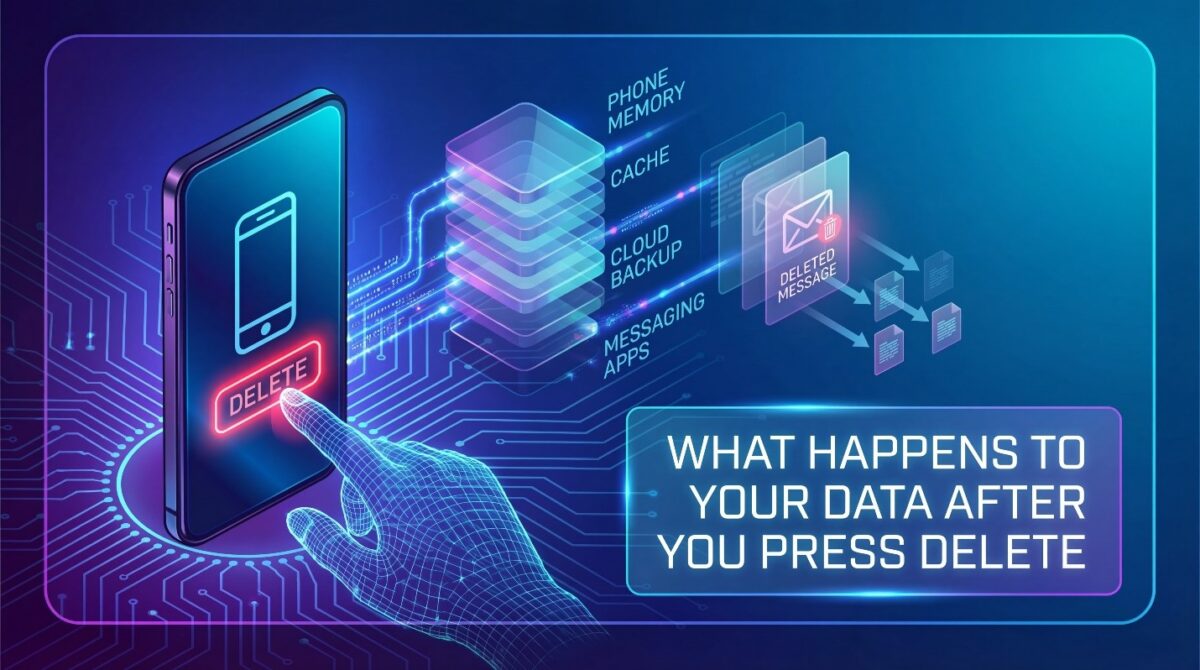
Deleted Messages often feels permanent, but the action rarely removes data instantly from your device’s internal storage system.
Most users believe deletion means destruction, yet digital systems handle removed messages in more complex ways.
When you delete messages, your phone mainly removes access rather than immediately erasing stored information from memory.
The data may still exist temporarily, hidden behind system processes and application-level controls.
Each layer decides whether it flags, overwrites, synchronizes, or preserves the data in storage.
What Does “Delete” Really Mean in Digital Messaging?

When a user deletes a message, the action primarily removes it from the visible interface rather than erasing the data completely.
The operating system marks the message as deleted and temporarily keeps it in the device’s memory until the system overwrites or clears it.
Many applications do not immediately destroy messages, because they retain metadata, timestamps, and system records even after deletion.
This allows apps to maintain synchronization, error recovery, and operational integrity while keeping some fragments of the message hidden from the user.
The operating system, messaging platform, and storage type determine the deletion process and affect when the system permanently removes the data.
Understanding this distinction clarifies that pressing delete is only the first step in a multi-layered process that manages invisible data in the background.
Hidden caches and temporary files also play a role, as they retain portions of messages for application performance purposes.
Operating systems prioritize memory efficiency and often preserve small fragments until the system needs the storage space for new data or application processes.. Recognizing what deletion really means helps users gain insight into the lifecycle of digital messages.
By understanding that messages may remain temporarily even after deletion, users can make informed decisions about privacy and data management practices.
What Happens to Your Deleted Messages in Popular Apps

Deleting messages in modern messaging systems does not immediately remove the content from device memory or cloud infrastructure. Most platforms rely on layered storage architectures that separate visible data from background storage, caching, and synchronization layers.
When a user deletes a message, the system typically removes it only from the user interface.
Temporary copies may still exist in local storage, cached memory, or background processes that support system stability and error recovery.
On devices that use local message databases, deletion marks the data as unavailable rather than fully erased. The system retains the underlying information until new data gradually overwrites it. This approach helps operating systems maintain performance and recover from unexpected errors.
In systems that support cloud synchronization, deleted messages may continue to exist on remote servers for a limited period. Synchronization delays between devices, server-side retention schedules, and backup mechanisms can keep deleted content accessible in the background. The system removes the content only after it fully processes the deletion request.
Even when users can no longer see the message content, the system may temporarily retain certain metadata. This metadata includes timestamps, delivery status, and sender information for operational and maintenance purposes.
Overall, message deletion rarely results in instant or permanent removal. Understanding this process helps users better manage privacy expectations, recognize the message lifecycle, and understand why content may briefly persist or reappear after deletion.
The Role of Backups for Deleted Messages
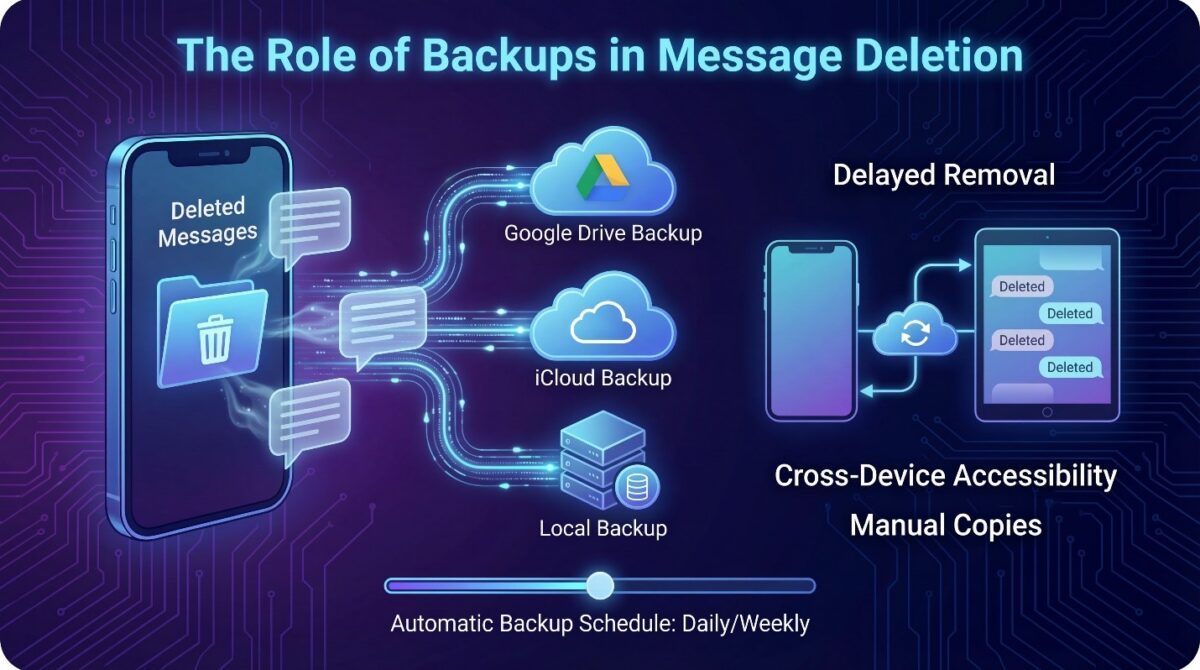
Backups play a significant role in determining whether deleted messages remain accessible after removal from the device interface.
Cloud services such as Google Drive or iCloud often store copies of messages automatically, meaning deletion on the device does not immediately remove these duplicates.
The system delays removal to ensure data integrity but temporarily preserves messages that users believe they have deleted.
Automatic backup schedules influence how long messages survive in storage after deletion.
For example, the system may keep messages in daily or weekly backups until the next synchronization occurs. If a restoration is initiated, previously deleted content can reappear.
Backup timing and retention policies vary across applications, directly impacting the lifespan of deleted messages.
Manual backups also contribute to message persistence, as users who periodically save device data create additional copies of messages.
Even after deletion, these copies can remain stored in cloud or local backup files, extending the period during which messages are technically recoverable.
Understanding this process helps users grasp the temporary nature of deletion in the presence of multiple backup layers.
Cloud-synced backups also manage cross-device accessibility, ensuring that deleted messages on one device may remain visible on another linked device until the cloud fully processes the deletion.
This situation occurs because backup systems sometimes restore messages on different devices, showing that deletion involves multiple steps.
Awareness of backups and their timing is essential for understanding the real lifecycle of digital messages.
Why Deleted Messages Are Not Immediately Destroyed
 Deleting a message from your phone or messaging app does not instantly remove it from the device or server, as most systems separate visibility from storage.
When you press delete, the system flags the message as invisible but retains the underlying data temporarily for stability, synchronization, and error recovery.
This distinction ensures that removing a message does not disrupt conversation continuity or compromise application performance across devices.
Data Persistence in System Memory
Operating systems maintain deleted messages in system memory to optimize performance and ensure stability across applications.
Even after deletion, fragments remain in caches, temporary storage, and database buffers until overwritten by new data, which allows recovery tools or system processes to access hidden content for maintenance or error correction purposes.
This temporary retention prevents corruption and ensures that conversations remain consistent and recoverable for a limited period.
Role of Application Logs and Metadata
Messaging apps often retain extensive metadata, including timestamps, sender and receiver information, message IDs, and delivery status, even after deletion.
These records are crucial for system operations, allowing accurate analytics, delivery confirmations, and continuity of conversations, while ensuring that deleted content remains hidden from users but still contributes to the backend management of message integrity.
Temporary Recoverability and Overwriting
Deleted messages remain retrievable until system processes overwrite the storage with new data, which may take hours, days, or longer depending on device activity.
This delay provides a temporary buffer for memory management, application stability, and backup operations, ensuring that messages do not disappear abruptly and allowing systems to manage storage resources efficiently.
Implications for User Privacy and Awareness
Understanding why the system does not immediately destroy deleted messages helps users recognize potential privacy risks.
Even when invisible, message fragments can exist in hidden caches, logs, and backups, making it important for users to be aware of digital persistence and take informed actions regarding sensitive content across devices and messaging platforms.
When Deleted Messages Become Truly Unrecoverable
 Even after users delete messages, the system may temporarily keep them in memory, caches, or backups, but it eventually erases them permanently.
The system permanently deletes data when it overwrites storage, expires backups, or applies retention policies to remove hidden fragments. This process ensures that no tool or system can restore the data.
Understanding this process helps users know the real limits of message recovery and digital data lifecycle.
Overwriting and System Memory Management
Deleted messages remain in memory or temporary storage until overwritten by new information.
“Operating systems and applications prioritize memory efficiency by gradually replacing old, deleted data with active content. The system gradually removes messages from local storage, preventing their recovery through conventional means.
Expiration of Cloud Backups
Messages stored in cloud backups, such as Google Drive, iCloud, or other messaging servers, remain recoverable until the backup retention period ends.
The system permanently deletes previously backed-up messages once it overwrites or removes backups according to platform policies. This action removes all traces from both local devices and cloud storage.
Device Resets and Secure Erasure
Factory resets, secure wipe tools, and encryption-based erasure methods accelerate the permanent deletion process.
The system overwrites storage blocks multiple times. By actively managing storage, the system blocks any attempt to reconstruct or restore previously deleted messages, cached fragments, and metadata. Consequently, no application or recovery tool can retrieve this information.
Implications for Privacy and Data Management
Understanding when messages become truly unrecoverable allows users to manage sensitive information responsibly.
It emphasizes the importance of encryption, secure erasure, and awareness of backup policies to ensure that confidential data does not persist longer than intended across devices or cloud platforms.
Best Practices to Ensure Deleted Messages Are Permanently Removed
While deleting messages removes them from view, remnants often remain in memory, caches, or backups.
Users must follow careful digital hygiene practices to ensure the system permanently removes messages. These practices include managing cloud backups, using secure erasure tools, and understanding system retention policies.
Being aware of these processes helps maintain privacy and control over sensitive information.
Manage and Delete Cloud Backups
Cloud backups can store deleted messages for days, weeks, or months depending on the service.
Users must actively review their backup settings and delete old backups to remove expired data. Doing so prevents previously deleted messages from being restored unintentionally across devices.
Proactive management of cloud storage reduces digital traces and limits recovery opportunities.
Use Secure Deletion Tools
Secure deletion applications overwrite storage blocks multiple times, eliminating the chance of recovering deleted messages.
These tools are particularly useful when dealing with sensitive or confidential content, as they ensure that system memory and hidden caches are fully cleared.
Regular use of such tools enhances user control over private digital data.
Factory Resets and Device Encryption
Performing a factory reset with encryption enabled ensures all message fragments and metadata are permanently removed.
Encrypted storage prevents data reconstruction even with advanced recovery methods, making deleted messages irrecoverable.
Users should combine resets with secure backups management to maximize privacy and data protection.
Awareness of App and Platform Policies
Understanding how each messaging application handles deletion, retention, and synchronization is critical for managing data securely.
Being informed about platform-specific backup schedules, retention periods, and recovery capabilities allows users to take appropriate steps to ensure permanent removal.
Knowledge of these policies helps maintain digital privacy across multiple devices.
Conclusion
Understanding what happens to deleted messages is crucial for managing digital privacy and ensuring sensitive information does not persist unintentionally.
Deletion does not immediately erase data; fragments can remain in memory, caches, logs, and backups until fully overwritten or cleared by system processes.
Awareness of cloud backups, system memory management, and application retention policies allows users to take informed actions to protect personal data.
By combining secure deletion practices with knowledge of platform-specific behavior, individuals can reduce the risk of message recovery or unauthorized access.Finally, maintaining proper digital hygiene, using secure erasure tools, and monitoring backups ensures that messages truly become irrecoverable when desired.
Adopting these practices empowers users to control the lifecycle of their messages while balancing privacy, system performance, and operational reliability across devices.